In this lesson, we’re going to bring our space characters, Kiran and Ripley, to life by animating a conversation between them. We’ll use sound recordings to make the characters speak. In Scratch, each character (called a sprite) can have several costumes, which are different pictures of the same character; Kiran and Ripley each have one with the mouth open and one with the mouth closed. We’ll animate their mouths by switching between those costumes to make it look like they’re really talking. You’ll work together with a partner to record the conversation and create a dynamic animation!
Let's start by creating a new Scratch project. First, go to the Scratch website by clicking here.
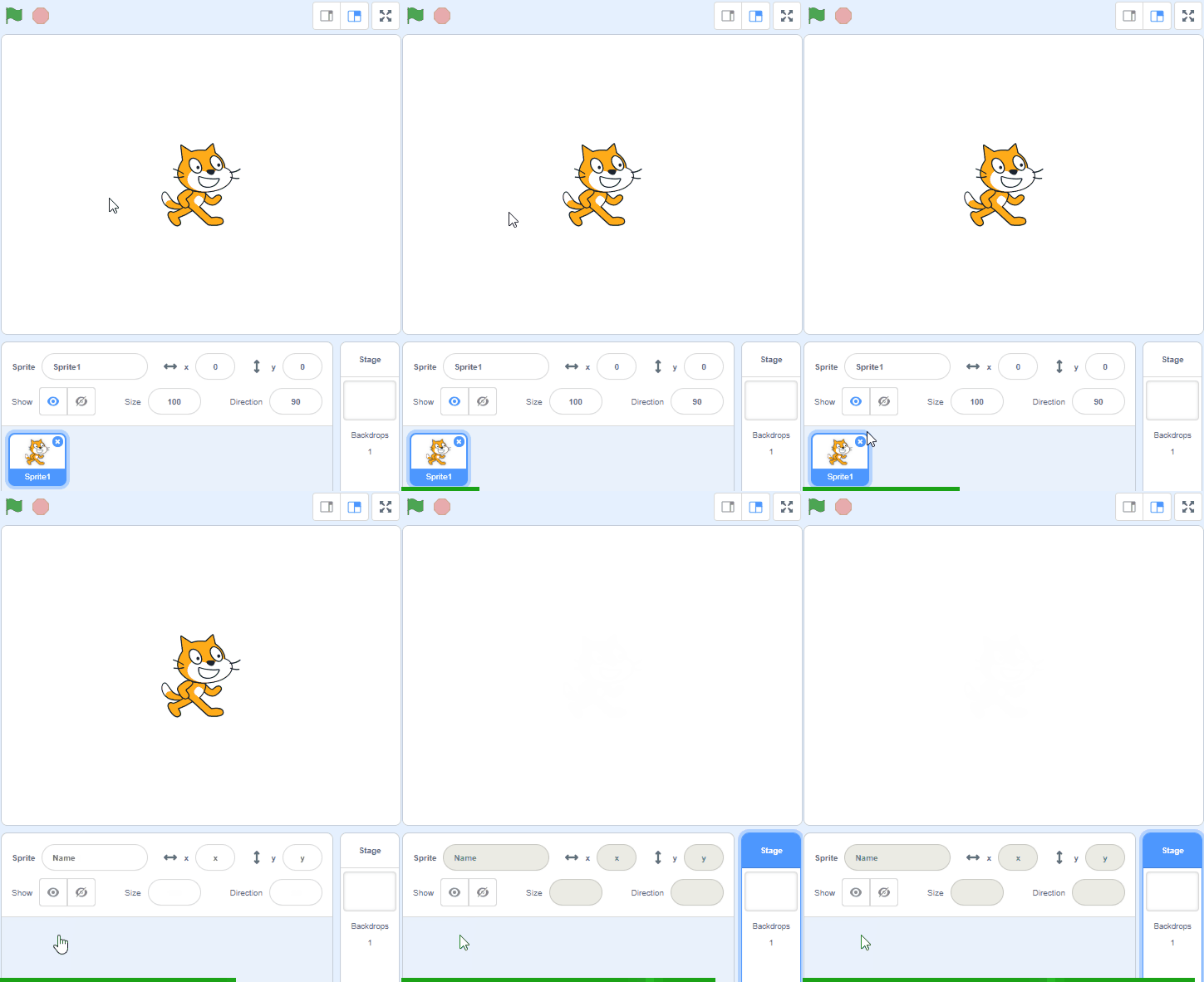
Once you're on the Scratch website, click on 'Create' to start a new project. You will see a cat sprite on the screen. We don't need the cat for this project, so let's remove it.
To remove the cat, look at the sprite list under the stage, where the cat has its own small picture. Click that picture, then click the small bin icon at its top-right corner.
Go to the Scratch website using the link below and click on the 'Create' link in the blue bar at the top.
By default, each new project starts with the cat sprite already added. To delete the cat click on the x in the blue circle beside the cat in the sprite list.
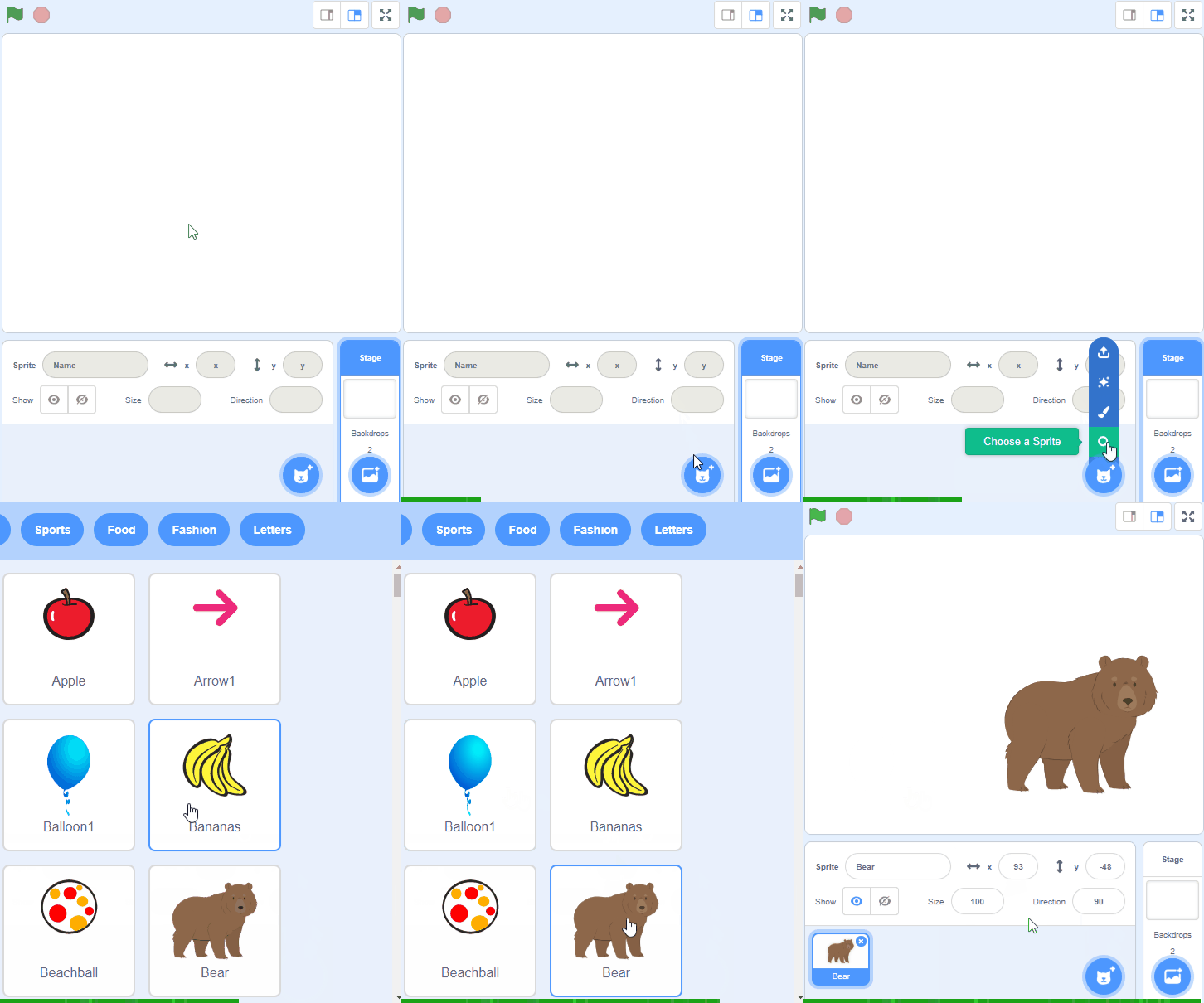
Start by adding the characters Kiran and Ripley from the sprite library. Click the Choose a Sprite button (the cat face at the bottom right of the sprite list), type Kiran in the search box and click on Kiran. Then do the same for Ripley.
These are our space explorers who will be having a conversation in this project.
To add a sprite from the sprite library follow these steps:
You can use search box or the filter links (Animals, People, Fantasy etc) to locate your sprite.
Choose a space-themed backdrop for your project. Click the Choose a Backdrop button at the bottom right of the screen and pick one such as Stars or Galaxy.
This will set the scene for Kiran and Ripley’s conversation.
With your partner, plan out a short conversation between Kiran and Ripley. Decide who will say what and in what order.
For example, Kiran might ask, “Did you see that shooting star?” and Ripley might respond, “Yes, it was amazing!”
You're previewing this lesson. Get full access to this lesson and hundreds more — each one ready to teach, with interactive activities, printable resources and pupil progress tracking built in.